
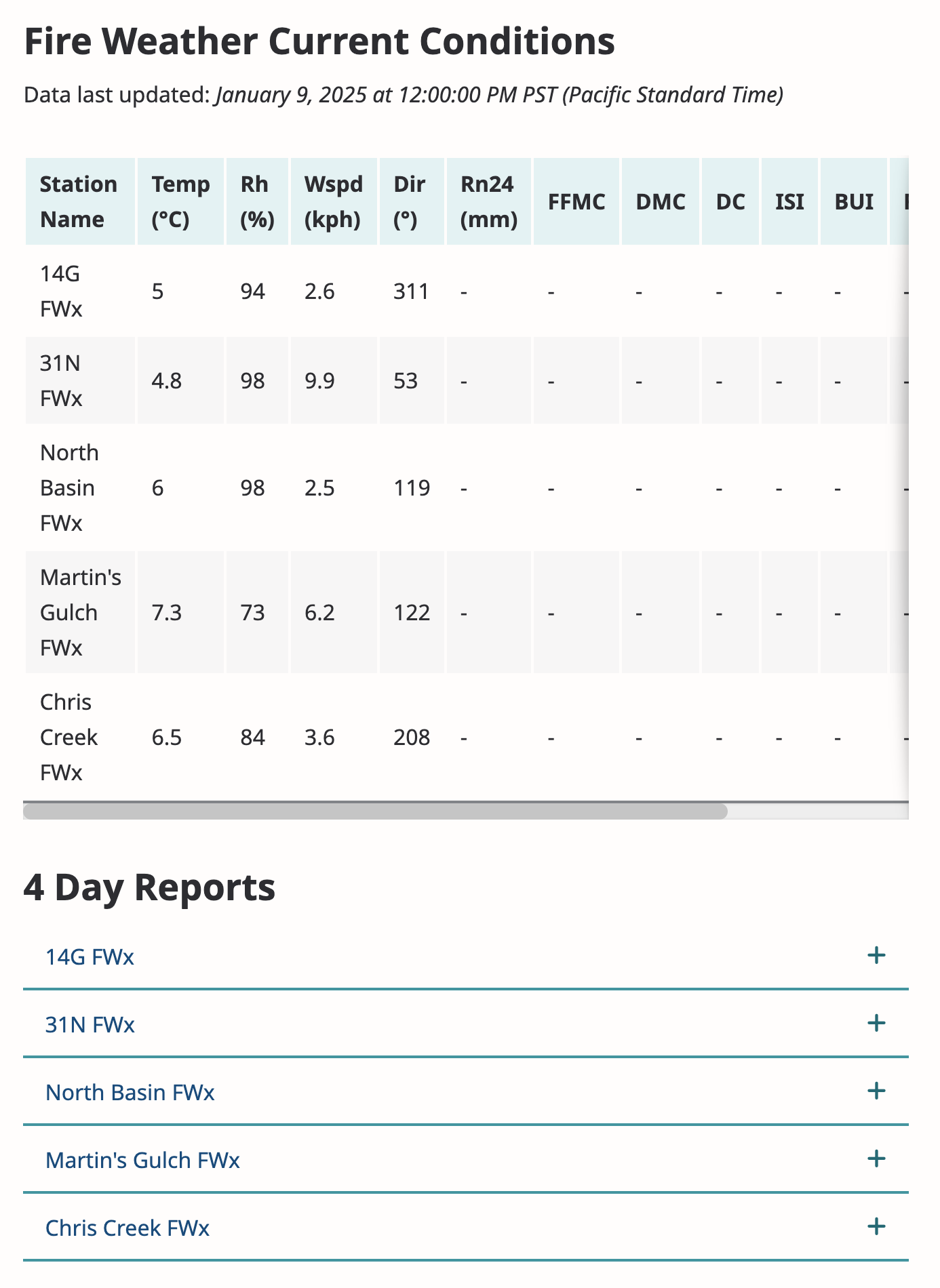
The Fire Weather custom module utilizes the Fire Weather Data Service from the CRD Services module to generate sensor data from fire weather stations across the region. It displays the current fire weather conditions and 4 day reports for each station on the Fire Weather Conditions page.
Configuration
To configure the Fire Weather navigate to Configuration > Web Services > CRD Fire Weather.
With the Constant Contact integration, fire weather notifications can be enabled or disabled.
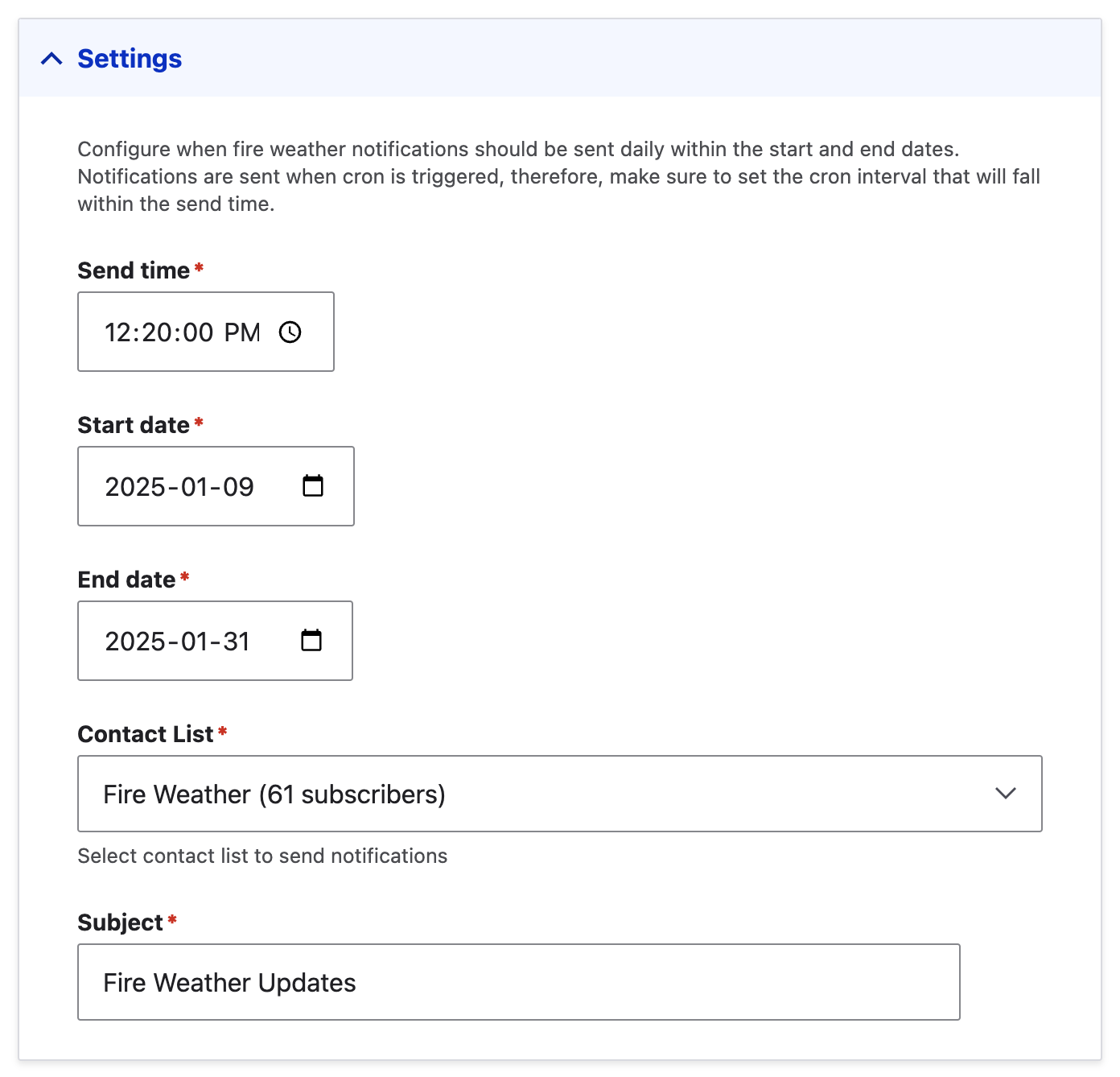
Under settings, set the send time to a specific time the fire weather notification will be sent in the day. Set the start date and end date to specify the date range on when the fire weather notification will be sent. Select the contact list (from Constant Contact) to send the fire weather notification to be sent to. Enter the subject of the email of the fire weather notification.
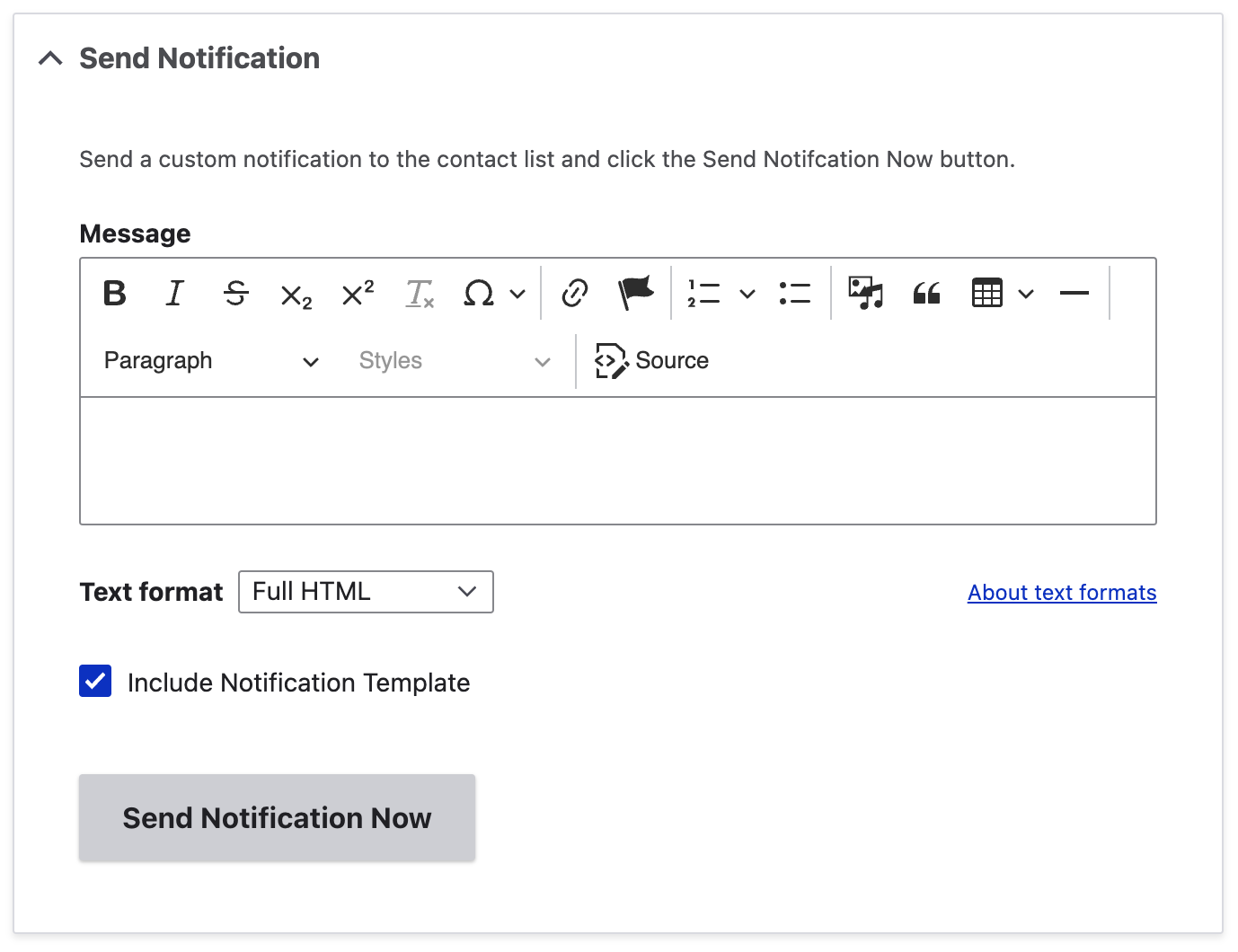
Send a custom notification with a custom message based on the saved setting. Enter the message to be include and check the include notification template if you'd like it to be included. Click the Send Notification Now to send.
Integration
Constant Contact
Automated Daily Notifications
The Fire Weather custom module utilizes Constant Contact to send the automated daily notification of fire weather notification to the Fire Weather subscribers.
This can be configured to be sent on a time and date period.
A custom notification with a custom message can also be sent immediately should there be a need to notify subscribers.