The CRD is integrated and configured with Constant Contact, a service platform to send emails to subscribed users of contact lists.
Upanup has developed a custom module to extend Drupal's functionality with Constant Contant to:
- Automatically create contact lists when a new content (node) is created
- Allow users to subscribe to a contact list on a particular content (node)
- Manually trigger and send a mailout to a contact list when publishing a particular content on create or edit
- Allow users to subscribe to multiple contact lists
Integrations
Constant Contact is integrated with the following Content Types to extend its functionality. Click on one of the items below for more details.
Constant Contact is also integrated with the Fire Weather and Board Portal custom modules to send notifications periodically, depending on its configurations.
Configuration
To configure the Constant Contact module, navigate to Configuration > Web services > Constant Contact.
Connections
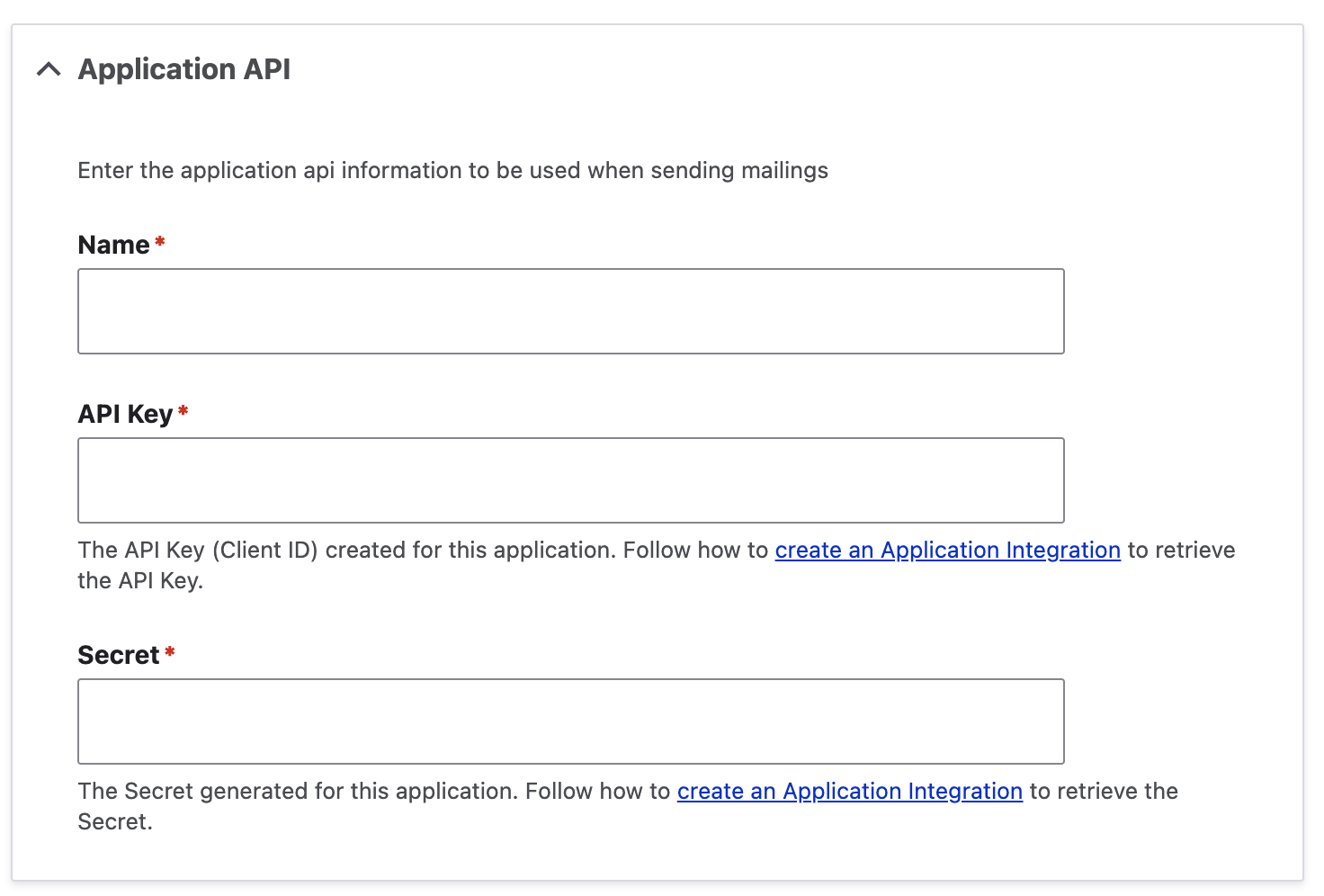
This module supports connections to multiple Constant Contact accounts. In the Connections tab, click Add connection.
Name
Enter the name of the application.
API Key
Enter the API Key (Client ID) created for this application.
Secret
Enter the secret generated for this application.
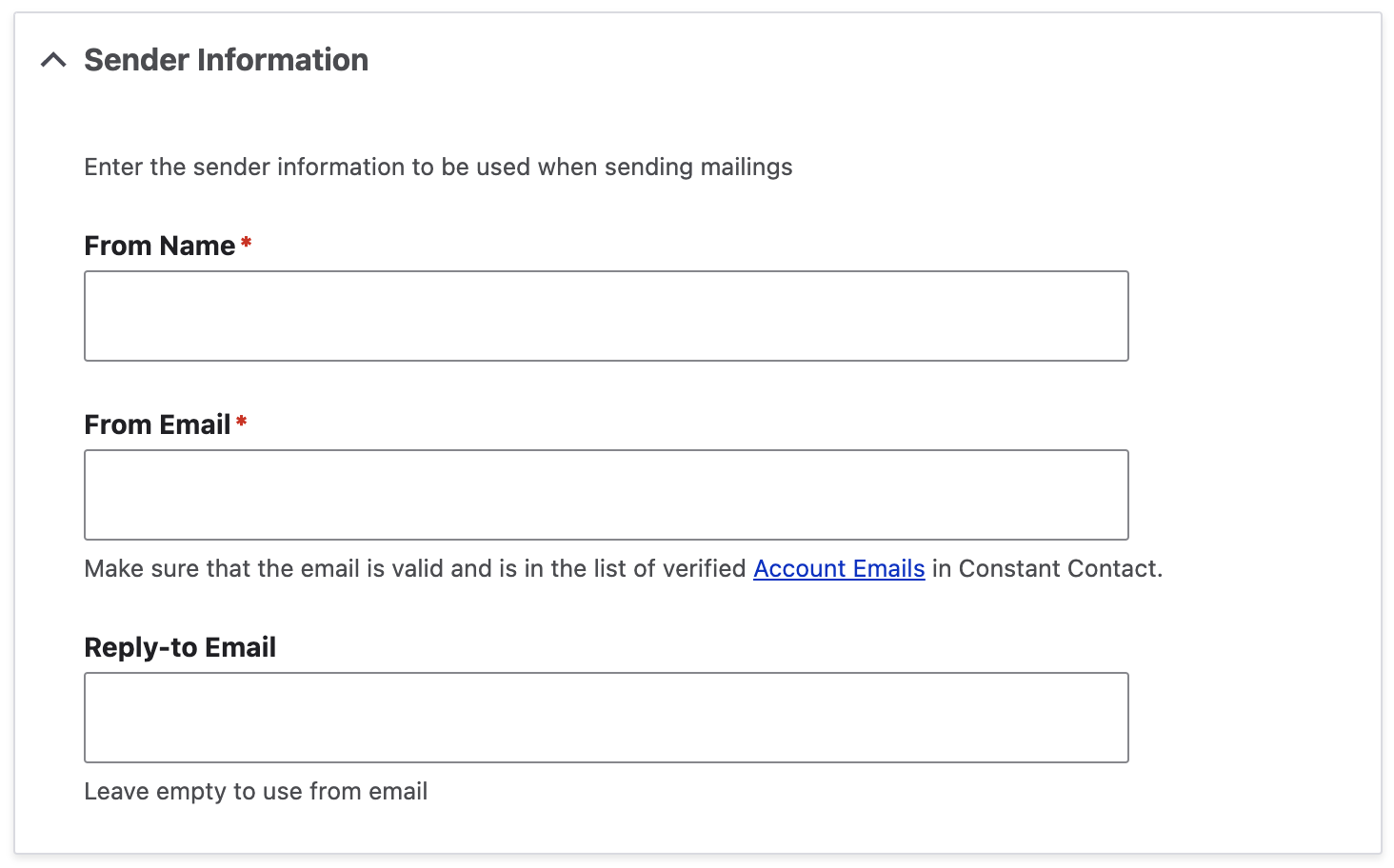
Sender information is also required and must be configured in Constant Contact as a verified sender.
From Name
Enter the name of the sender
From Email
The email of the sender
Reply-to Email
Enter the reply-to email of the sender, if different from the from email.
Settings
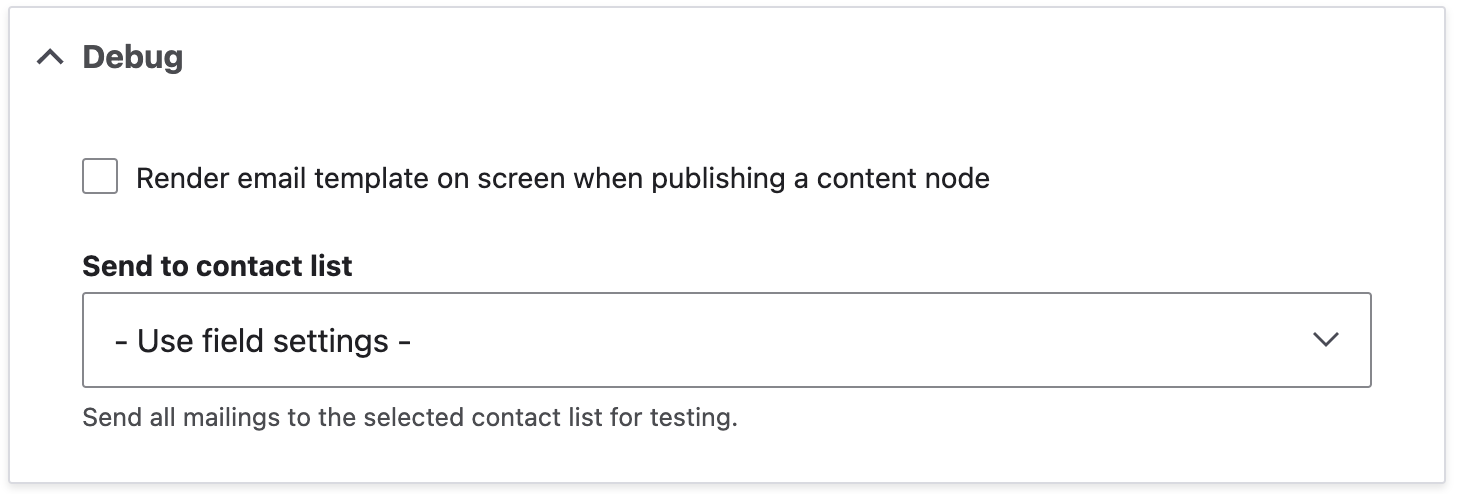
Use debug settings to enable rending of email template on screen when publishing a content node in order to see what the rendered email template will look like.
Send to contact list
Select a contact list to send to for all mailing for testing.